Bingo 101 Add Cash and Deposit Help
Bingo 101 add cash is how money reaches your game wallet: the minimum is ₹30, UPI is the method most players use, and deposits usually credit almost instantly. This guide covers the payment options, the steps, how to read a transaction status and what to do when a payment fails.
On this page
Payment Options for Bingo 101 Add Cash
Every Bingo 101 add cash happens inside the app, on the add cash screen. You never pay a person, a link sent in a chat or a UPI ID that someone shares with you. The screen shows the payment methods available to your account, and UPI is the one most Indian players use.
A few rules apply to every method, and they matter later when you want to withdraw.
| Rule | What it means for you |
|---|---|
| Approved methods only | Use the methods the add cash screen shows. A payment made outside the app does not count. |
| Your own payment account | The UPI account or bank you pay from must be in your name. |
| Rupees only | Every transaction is in Indian rupees. |
| Bonuses on every method | The add cash bonuses apply whichever approved method you use. |
Paying from an account in your own name keeps things simple at cash out time. Withdrawals go only to verified accounts in your name, so one name across deposits, payouts and KYC avoids a held payout. The terms and conditions set this out in section 11.2.
All money you add lands in one wallet. It is available across bingo, slots, card games and every other category without moving it around, and the guide to how each Bingo 101 game category works explains what is in each section.
Add Cash Steps
You need the official app installed and an account you can sign in to. If you have not installed it yet, start with the Bingo 101 APK download for Android, and if signing in is the problem, the Bingo 101 login and account access guide covers OTP and password issues.
- Open the Bingo 101 app and sign in with your registered mobile number.
- Tap Bank in the bottom menu. The wallet screen opens, headed Total Balance.
- Under the Cash box, tap Add Cash.
- Pick the amount. Anything from ₹30 upwards qualifies for the add cash bonuses.
- If you want the Weekly Card bonus, select the card now. It cannot be added after the payment completes.
- Choose your payment method, usually UPI, and approve the payment in your own payment app.
- Return to the Bank screen and check that the Cash box has gone up.
Bonuses Attached to Add Cash
Two bonuses apply to add cash, and both start at the ₹30 minimum. Your first add cash earns 10%, capped at ₹10,000, once per account. Every add cash after that earns 2%, with no limit on how often.
| Add cash | As your first add cash (10%) | As a later add cash (2%) |
|---|---|---|
| ₹100 | ₹10 bonus | ₹2 bonus |
| ₹500 | ₹50 bonus | ₹10 bonus |
| ₹1,000 | ₹100 bonus | ₹20 bonus |
| ₹2,000 | ₹200 bonus | ₹40 bonus |
The bonus is a percentage of money you were going to spend anyway, not extra money, so it is never a reason to add more than you planned. The full list of offers is in the Bingo 101 bonus guide.
The Weekly Card Option
The Weekly Card is an option you attach to an add cash, not a separate purchase. Add ₹500 the normal way and you get ₹500. Add the same ₹500 with the Weekly Card and you get ₹500 plus ₹70 of bonus, paid as ₹10 a day for seven days. The ₹1,000 card pays ₹25 a day (₹175 in total) and the ₹2,000 card pays ₹60 a day (₹420). A purchased card is non-refundable, and you hold one card amount per cycle. The weekly bonus guide covers the card and the Monthly Card in detail.
Transaction Status
Most deposits credit almost instantly. Once the payment is approved, the Bank screen shows the amount in the Cash box, and the bonus appears in the Bonus box. Your total add cash also sets your VIP level: VIP1 starts at ₹30, so one minimum deposit moves a new account off VIP0. The VIP levels guide lists every threshold.
What the Three Wallet Boxes Mean
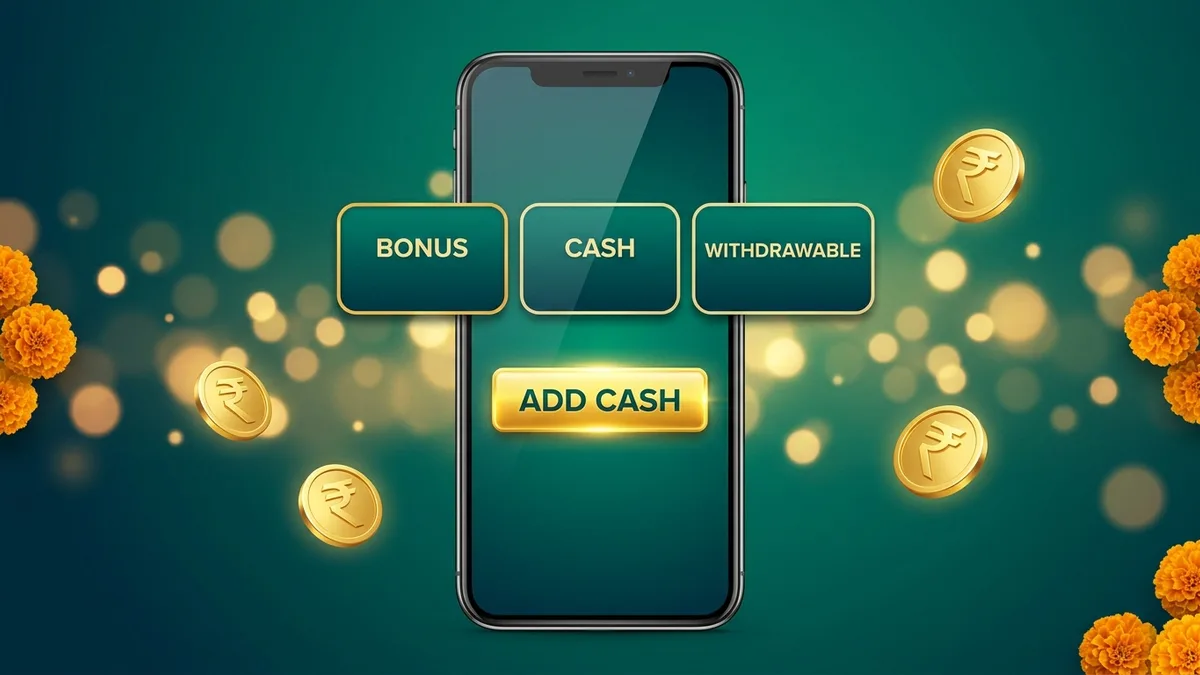
- Cash: money you added, with the Add Cash button under it. You play from this balance across every game.
- Bonus: promotional credit from add cash bonuses and other offers, with a Collect button. Bonus money has its own wagering rules.
- Withdrawable Balance: money you can cash out with Withdraw Instantly. Added cash reaches it after it has been played through once (1x).
So if you add ₹500, you need ₹500 in bets across any games before that money counts as withdrawable. Until then the app shows the line "complete the bet requirement to enjoy unlimited withdraw" under the boxes. The withdrawal guide picks up from there, including the ₹100 minimum.
Checking a Payment That Has Not Shown Up Yet
Compare two places: the status in your UPI or bank app, and the Cash box on the Bank screen. If the payment shows as successful in your payment app but the Cash box has not moved after a few minutes, treat it as a failed credit and follow the next section. Do not repeat the payment while the first one is still pending, because a second attempt can create a second charge.
Failed Payments and Support
A payment that leaves your bank but never reaches the Cash box is the most common deposit complaint. The terms give you a refund route, but the clock starts at the moment you paid.
- Check the Bank screen again after a few minutes. Most deposits credit almost instantly.
- Keep the payment reference from your UPI or bank app, plus a screenshot of the debit.
- Open Contact Us in the app. Online customer service runs 24/7. Send your UID, the amount, the time, the transaction ID and the screenshot.
- Raise it within 3 days of the payment. Requests made later are declined.
- Approved refunds are processed within 5 business days.
Covered: a successful payment whose funds never reached your account, and duplicate payments caused by a payment gateway error. Not covered: requests raised more than 3 days after the payment, and money that was credited and then partly or fully used. More help with the support screen is in the customer care guide.
Never Pay a Recharge Agent
Nobody can give you a bigger bonus or a "VIP recharge" if you pay to their UPI ID. Real deposits happen only on the add cash screen of the official Bingo 101 app. Support never asks for your OTP, UPI PIN or password. Anyone asking for a transfer outside the app is running a scam, and Is Bingo 101 Real or Fake shows how these agents operate.
Safe Add Cash Checklist
- Add cash only on the app's own add cash screen.
- Pay from a UPI or bank account in your own name.
- Approve the payment in your own payment app, never through a link someone sends you.
- Keep the payment reference and a screenshot until the money shows in Cash.
- Decide your budget before you open the app, and never add money you need for rent, food or bills.
Bingo 101 is for players aged 18 and over. The responsible gaming page lists the controls available on your account.
Frequently Asked Questions
What is the minimum add cash on Bingo 101?
The minimum is ₹30. It is also the minimum for both add cash bonuses and for Weekly Cashback.
What should I check if an add cash payment is missing?
Compare the status in your payment app with the Cash box on the Bank screen. Keep the payment reference and a screenshot, and report it through Contact Us within 3 days.
Should I repeat a payment while the first is pending?
No. Confirm the status of the first payment before trying again, because a repeat can create a second charge.
How much is the first add cash bonus?
10% of your first add cash, capped at ₹10,000, once per account. Every add cash after that earns 2%.
Can I pay from someone else's UPI account?
No. Deposits must come from a payment account in your own name, and withdrawals go only to verified accounts in your name.
Related Guides
- Bingo 101 Withdrawal Steps and Payment HelpWithdrawal steps and payment help
- Bingo 101 Bonuses and Promotion TermsBonuses and promotion terms
- Bingo 101 Weekly Bonus and Reward ConditionsWeekly bonus and reward conditions
- Bingo 101 Customer Care and Support GuideBingo 101 Customer Care
- Bingo 101 VIP Levels and RewardsVIP levels and rewards