Check an APK Before You Install It
Gaming apps outside Google Play are installed from APK files, so the checks Play would normally do are partly yours. Here is what to look at before you tap Install, and the point at which you should stop.
On this page
Download Source
Where a file comes from is the first and most useful check. An APK that starts from a button you tapped yourself, on a site you reached yourself, has passed through fewer hands than one that arrived in a chat.
- Prefer the publisher's own site. For Bingo 101, that means the official download link or bingo101.com. On this site, the download button sits on the Bingo 101 APK page.
- Avoid forwarded files. A file sent on WhatsApp or Telegram, even by a friend, may have been changed on the way. Delete it and download a fresh copy.
- Be careful with ads and pop-ups. Paid social media ads and pop-up pages are a common route for modified apps.
- Check the address bar. Look-alike domains swap a letter or add a word. Type the address yourself if you are unsure.
Our app and APK directory collects information about several apps and where their files come from. A listing there is a starting point for your own checks. It does not mean a file has been verified or is free of risk.
Publisher Identity
A familiar logo and app name prove very little, because both can be copied in minutes. What you want to know is who publishes the app and whether the file you have matches what they publish.
- Package name. Every Android app has a unique package name. The genuine Bingo 101 uses com.bingo.slots.game. A copy with the same icon but a different package name is a different app.
- Name collisions. Unrelated apps can share a name. The Bingo 101 on Google Play, for example, comes from another developer and has no wallet.
- Publisher details. Look for the publisher's own website and support channels, and check that they match what the app shows inside.
Keep two kinds of contact apart. The publisher's support handles your account, payments and the app. An information site like this one can explain the app but cannot see or change your account.
File Details and Signatures
Once you have the file, compare its details with the publisher's. A mismatch does not always mean harm, but it does mean you are looking at a different file from the one described.
| Detail | What to compare | Bingo 101 reference |
|---|---|---|
| File size | Close to the published size, not far smaller or oddly large | 35.7 MB |
| Build number | Matches the current published build | 1.2.0 |
| Android requirement | Matches your phone | Android 5.0 or later |
| Package name | Exactly the same | com.bingo.slots.game |
Android apps are signed by their developer, and Android refuses to install an update signed with a different key over an existing app. If an update suddenly will not install over your current copy, one of the two files may not come from the same source. Uninstalling and reinstalling is fine when you trust the new file, but stop if you are not sure where it came from.
After installing, check what the app asks for. The guide to Android app permissions explains what each request means and how to review it.
Security Warnings
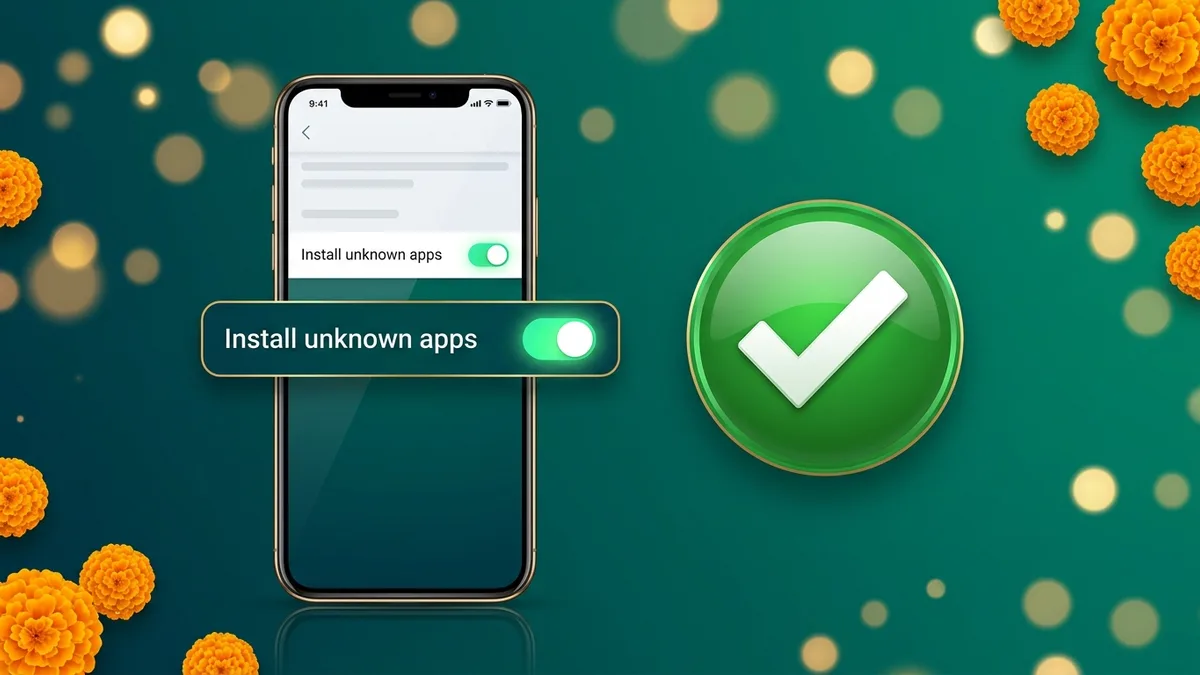
To install any APK you allow your browser to install unknown apps, usually under Settings, then Apps, then Special access, then Install unknown apps. The labels differ between phones. Allow only the browser you used, and switch the permission off again afterwards if you prefer.
Google Play Protect may offer to scan an app that does not come from Play. Let the scan run. A scan prompt on its own is normal for an APK. A red warning that the app is harmful, or that it was blocked, is a different matter: do not dismiss it without finding out why, and do not tap install anyway on a file you cannot trace back to its publisher.
No single check makes an install risk-free. Each one lowers the chance that you are holding a modified file.
When to Stop Installation
Cancel the install and delete the file if any of these happen:
- The file asks you to turn off Play Protect or other security settings.
- It asks for device administrator rights, or tells you to install a second helper app.
- It requests SMS, contacts, call logs or accessibility access. The genuine Bingo 101 asks for none of these.
- The size, name or package name does not match the publisher's details.
- The file came with a promise of extra coins, unlimited balance or sure wins.
- You cannot work out where the file originally came from.
If you already installed a file that fails these checks, uninstall it, change the password of any account you used in it, and reinstall from the official source. If you entered card or UPI details, tell your bank straight away.
Frequently Asked Questions
Does a familiar app logo prove that an APK is genuine?
No. A logo can be copied. Check the download source, the package name and the publisher information before opening the file.
Should I ignore an Android security warning?
Do not dismiss it without investigating. Check the file source and the reason for the warning, and stop if you cannot verify the download.
Is it normal for Android to ask about unknown apps?
Yes. Any APK needs your browser to be allowed to install unknown apps. That is the only setting a genuine gaming app should need changed.
Does a listing in the app directory mean an APK is safe?
No. The directory gives information and sources for your own checks. It does not verify files or promise they are free of risk.
Related Guides
- Understand Android App PermissionsAndroid App Permissions
- Yono Apps and Game PlatformsYono apps list and comparison
- Is Bingo 101 Real or Fake? Identity and Safety ChecksIs Bingo 101 Real or Fake?
- Bingo 101 APK Download for AndroidBingo 101 APK download
- Protect Your Gaming AccountProtect Your Gaming Account