When you hit a Bingo 101 app not working problem, the cause is nearly always one of four things: the install was blocked, an old version is in the way, the login or OTP step failed, or the app on the phone is not the genuine one. The current official build is version 1.2.0, 35.7 MB, for Android 5.0 and newer. This guide goes through each failure in the order you would meet it, with the fix that works for each.
- The genuine app is version 1.2.0, 35.7 MB, for Android 5.0 and newer. There is no iPhone version.
- “App not installed” usually means the browser is not allowed to install apps, storage is low or the file is broken.
- Updates are manual; if one fails, uninstall the old app first.
- Your account is tied to your number, so reinstalling does not lose your balance.
- A copy asking for SMS, contacts or accessibility access is fake.
Bingo 101 App Not Working? Quick Checks First
- Your phone runs Android 5.0 or newer. There is no iPhone version.
- You have about 36 MB of free storage for the download.
- Your internet connection is stable.
- The file came from the official link, not a chat or a third-party site.
Bingo 101 App Requirements
| Item | Genuine app |
|---|---|
| Current version | 1.2.0, published 18 September 2026 |
| Download size | 35.7 MB (keep about 36 MB free) |
| Android version | 5.0 or newer |
| iPhone | Not available |
| Package name | com.bingo.slots.game |
| Where to get it | The official download link or bingo101.com, not Google Play |
| Permissions | Internet, network state, notifications, vibration, keep-awake, push messages, install tracking |
App Not Installed or Install Blocked
Bingo 101 is not on Google Play, which does not list real-money games in India. The app is installed from an APK file, so Android has to be allowed to install it from your browser.
- 1Open Settings > Apps > Special access > Install unknown apps.
- 2Select the browser you downloaded the file with and allow it. This is a one-time permission for that browser.
- 3Check you have enough free storage.
- 4If it still says the app was not installed, delete the downloaded file and download it again. An interrupted download leaves a broken file.
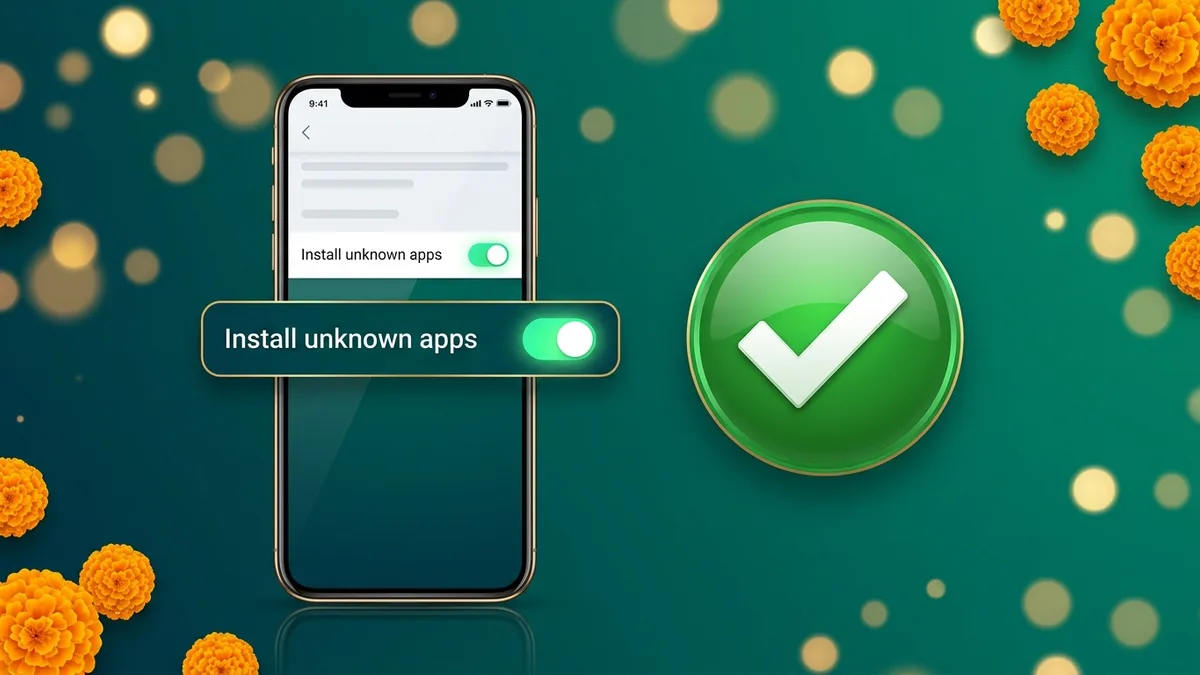
Play Protect may show a scan notice during install. A scan notice is normal for an APK. A red warning that the app is harmful, or that it was blocked, is not normal for the genuine file: stop and check where the file came from. The full process is in the Bingo 101 APK install guide.
Download Button Not Working
If nothing happens when you tap download, check your internet connection, refresh the page and clear your browser’s cache, then try again. Use the browser you allowed under Install unknown apps, or allow the new one.
Update Failed
Updates do not arrive on their own. When a new version is released, the app usually prompts you to download the current APK, and installing it over the top keeps your account and balance.
A failed update is a common Bingo 101 app not working cause, and an older version is usually what blocks it. Uninstall the old app completely, then install the new file. Your account is tied to your mobile number and your balance lives on the platform’s servers, so signing in again with the same number brings everything back.
Login or OTP Not Working
| Problem | Fix |
|---|---|
| OTP not arriving | Check your signal, wait about a minute, then request a new code. Turn off Wi-Fi calling if it is on. |
| Forgot password | Use the reset option. It sends a fresh OTP to your registered number. |
| Account not found | Sign in with the same number you registered with. The account is tied to it. |
| New phone | Install the app and sign in with the same number and OTP. |
| Login screen will not load | Update to the latest APK and check your connection. |
| Login fails right after install | Check your connection and details. If it continues, the servers may be under temporary maintenance, so try again later. |
More detail on each step is in the Bingo 101 login guide.
Bingo 101 Error Fix Table
Find the message or symptom you see, then work through the fix from left to right.
| What you see | Likely cause | Fix |
|---|---|---|
| App installation error | Interrupted download or incompatible phone | Delete the file, check Android 5.0+, download again |
| Installation blocked | Browser not allowed to install apps | Allow it under Install unknown apps |
| Download button does nothing | Connection or browser cache | Check internet, refresh, clear browser cache |
| Update failed | Old version conflicts with the new file | Uninstall the old app, then install the new one |
| App opens but login screen will not load | Outdated version | Install the latest APK |
| Login fails right after install | Connection, wrong details or maintenance | Check details and connection, try again later |
| OTP never arrives | Signal or Wi-Fi calling | Wait, turn off Wi-Fi calling, request a new code |
How to Reinstall Bingo 101 Without Losing Your Account
- 1Note your registered mobile number. Your account is tied to it.
- 2Uninstall the current Bingo 101 app from your phone.
- 3Download the current APK from the official link.
- 4Install it and allow your browser under Install unknown apps if asked.
- 5Open the app and sign in with the same number and OTP.
- 6Check the Bank screen. Your balance is stored on the platform’s servers and returns with your account.
Is It the Real App? Signs of a Clone
Some Bingo 101 app not working reports are not bugs at all. Fake copies of Bingo 101 circulate under similar names, and they fail in ways the genuine app does not. The real app uses the package name com.bingo.slots.game and asks only for internet, network state, notifications, vibration, keep-awake, push messages and install tracking.
- NameA name with “mod”, “pro” or random letters added.
- SizeFar smaller than 35.7 MB, a stub that downloads more, or oddly large.
- PermissionsAsks for SMS, contacts, storage, location, camera, microphone or accessibility access. The genuine app never does.
- RequestsTells you to turn off Play Protect, grant device administrator rights or install a second helper app.
A “mod” cannot change your balance or results, because both are settled on the platform’s servers. If you installed a fake, uninstall it, reinstall the genuine app and change your password. Is Bingo 101 Real or Fake covers the checks in detail.
Bingo 101 App Not Working After Every Fix
If the genuine, current app still fails after these steps, open Contact Us in the app, where online customer service runs 24/7, or write to support@bingo101.com. Send your UID, your phone model, your Android version and a screenshot of the error.
If You Installed a Fake Bingo 101 App
- 1Uninstall the fake app straight away.
- 2Reinstall the genuine app from the official source.
- 3Change your password and check your account in the genuine app.
- 4If you paid money or shared an OTP, call 1930, India’s national cyber fraud helpline, and file a complaint at cybercrime.gov.in.
- 5Report the fake link or number to Bingo 101 support from inside the genuine app.
Play Within Your Limit
Set an amount before you open the app and stop when it is gone. Never add cash you need for food, rent, bills or daily costs, and take breaks during long sessions. Bingo 101 is for players aged 18 and over, and the responsible gaming page lists the controls available on your account. Industry guidance on playing safely is published by the All India Gaming Federation.
Frequently Asked Questions
Why is the Bingo 101 app not working?
The usual causes are a blocked install, an old version, a login or OTP problem, or a fake copy of the app. The current official build is 1.2.0.
Why does my phone say App not installed?
Allow installs from your browser under Install unknown apps, free up storage, then delete the file and download it again.
Will I lose my balance if I reinstall Bingo 101?
No. Your account is tied to your mobile number and your balance is on the platform’s servers. Sign in with the same number.
Is Bingo 101 on the Play Store?
No. The Bingo 101 listed on Google Play is a different app from another developer. The genuine app is an APK from the official link.
Does Bingo 101 work on iPhone?
No. The app is Android only, for Android 5.0 and newer.
Why is my Bingo 101 OTP not coming?
Check your signal, wait about a minute and request a new code. Turn off Wi-Fi calling if it is on.
What permissions does the real Bingo 101 app need?
Internet, network state, notifications, vibration, keep-awake, push messages and install tracking. It never asks for SMS, contacts or accessibility.
How do I update the Bingo 101 app?
The app prompts you when a new version is out. Download the current APK and install it over the old one. If that fails, uninstall the old version first.
How do I check my Bingo 101 app version?
Open Settings, then Apps, then Bingo101, and look at App info.
Is it safe to tap Install anyway?
A Play Protect scan notice is normal for an APK. A red warning that the app is harmful or blocked is not normal for the genuine file, so stop and check the source.
Why does the Bingo 101 app not open after login?
Usually the version is outdated or the connection dropped. Update to the latest APK. If it persists, the servers may be under temporary maintenance.