Bingo 101 KYC (know your customer) confirms that the person withdrawing is the person who owns the account. The app asks for it before your first payout, PAN is required, and the name on your payout account has to match the name you verify with. Getting it right once means every later withdrawal moves without a hold. This guide covers when KYC is asked for, what it checks and the mistakes that cause most delays.
- KYC is asked for before your first payout; doing it on day one avoids delays.
- PAN is required, and a missing PAN can hold a withdrawal.
- Your bank account or UPAY wallet must be in your own name, spelled as on your KYC.
- Wrong account number, IFSC or wallet address means re-adding and verifying again.
- KYC happens inside the app, never in a chat.
When Bingo 101 KYC Is Asked For
Signing up needs only a mobile number and an OTP, and no email, so Bingo 101 KYC is a separate step. Identity checks come later: the app asks for identity details before your first payout. Players who leave it until the moment they want to cash out are the ones who report delays, so the simplest habit is to complete KYC on the day you register.
| Stage | What is checked |
|---|---|
| Sign-up | Mobile number and OTP. The account is tied to that number. |
| Before the first payout | KYC verified, PAN on file |
| Adding a payout account | Bank account or UPAY wallet verified in your name |
| Any withdrawal | KYC, the name on the payout account, turnover and unusual activity |
The practical order is bonus credited, turnover cleared, KYC verified, then withdrawal. The Bingo 101 withdrawal guide follows the same sequence.
Why Bingo 101 KYC Requires PAN
PAN is required because tax has to be deducted against a PAN, and the tax taken from each withdrawal is reported against it. You are responsible for providing a valid PAN and any supporting documents the platform requests. A missing or invalid PAN can delay a withdrawal or lead to winnings being withheld.
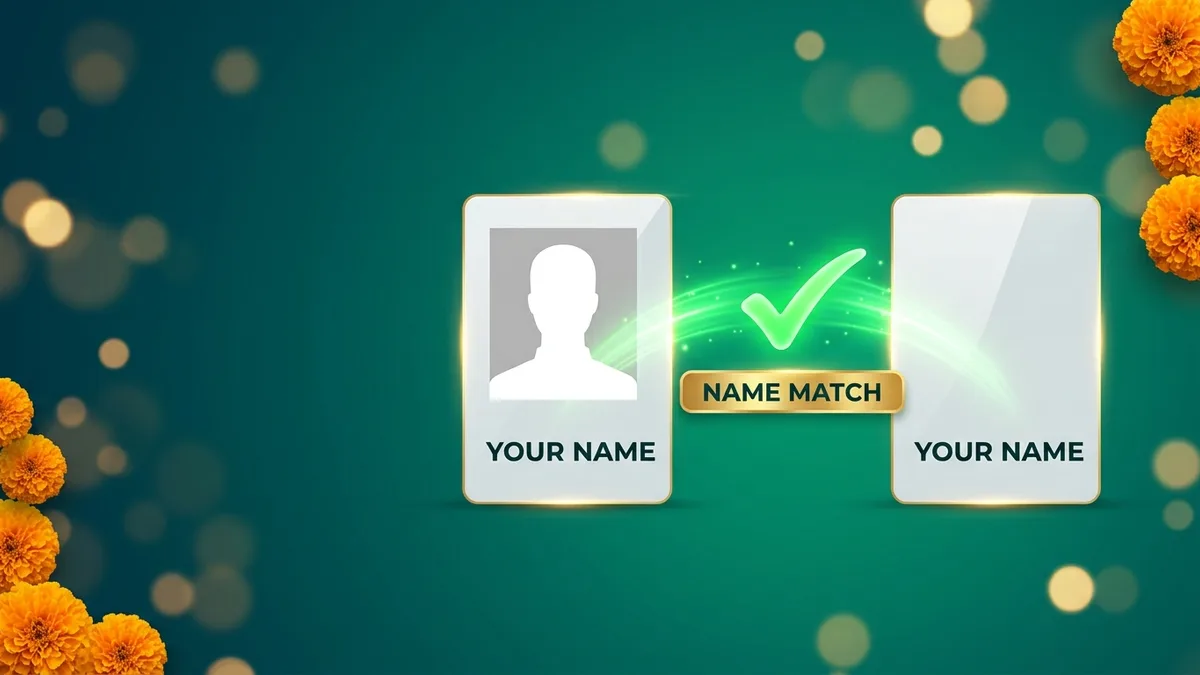
The Name Match Rule
The name match is the part of Bingo 101 KYC that trips up most players. The name on your bank or wallet has to match the name on the ID you submit, or the withdrawal is held. Withdrawals go only to verified accounts in your own name. A brother’s wallet or a friend’s bank account will be rejected, and so will a spelling that differs from your KYC.
How to Verify Your Payout Account
- 1Open the app and tap Bank in the bottom menu.
- 2Open Manage Payments.
- 3Choose Verify New Bank Account for a bank, or Verify UPAY Wallets Address for a wallet.
- 4Enter the details exactly as they appear on the account, in your own name.
- 5Complete the verify step. Verified accounts then appear under My Bank Accounts or My UPAY Wallet Address.
Bingo 101 KYC Mistakes That Hold a Withdrawal
- Name mismatchThe bank account or wallet is not in your name, or the spelling differs from your KYC.
- Invalid detailsA wrong wallet address, account number or IFSC. Re-add the method in Manage Payments and verify it again.
- No PAN on fileWithdrawals can be delayed or winnings withheld until a valid PAN is provided.
- Leaving KYC to the endA first withdrawal with KYC unfinished is the most common reason a request sits on Pending.
- Multiple accountsPromotions apply to one IP address and device, and multiple accounts breach the terms and can restrict an account.
- Shared credentialsYour login must never be shared. Sharing it can lead to suspension.
Bingo 101 KYC Checklist
- Your own PAN, entered exactly as on the card.
- Your full name, spelled the same everywhere.
- A bank account or UPAY wallet in your own name.
- Correct account number and IFSC, or wallet address.
- The mobile number you registered with.
- You are 18 or older.
Your First Withdrawal After KYC, Step by Step
- 1Check that your bonus has been credited and any wagering is complete.
- 2Tap Bank and confirm the amount in Withdrawable Balance.
- 3Make sure your payout account is verified in Manage Payments.
- 4Complete KYC if the app asks for it, including your PAN.
- 5Tap Withdraw Instantly under Withdrawable Balance and choose the verified account.
- 6Follow the request in My Transactions on the Withdrawals tab, and save the request ID and UTR.
Withdrawal Statuses and What They Mean for KYC
| Status | What it means | What to do |
|---|---|---|
| Pending | The platform is checking KYC, the payout name, turnover and unusual activity | Wait; a first withdrawal or a large amount can take longer |
| Fail: name mismatch | The payout account is not in your name or the spelling differs from KYC | Add an account in your own name, spelled as on your KYC |
| Fail: invalid details | Wrong wallet address, account number or IFSC | Re-add the method in Manage Payments and verify it again |
| Succeed | The payout was sent | Keep the request ID and UTR |
The full withdrawal process, with the ₹100 minimum and processing times, is in the Bingo 101 withdrawal guide.
What Information the Platform May Ask For
When you register and when you withdraw, the platform may collect your full name, date of birth, mobile number, address, PAN and bank details, and it can ask for more information when it needs to verify your identity. An account cannot be created unless all the required information is provided. How that data is handled is set out in the privacy policy and the terms and conditions.
Keep Your Verified Account Secure
Once your KYC and payout account are verified, your account is worth protecting. Your login details must never be shared with anyone, and sharing them can lead to suspension. If you think your account or password has been compromised, change the password and tell support through the official channels at once.
Play Within Your Limit
Set an amount before you open the app and stop when it is gone. Never add cash you need for food, rent, bills or daily costs, and take breaks during long sessions. Bingo 101 is for players aged 18 and over, and the responsible gaming page lists the controls available on your account. Industry guidance on playing safely is published by the All India Gaming Federation.
Frequently Asked Questions
When does Bingo 101 KYC happen?
Before your first payout. You can complete it earlier, and doing it on the day you register avoids withdrawal delays.
Is PAN required for Bingo 101 KYC?
Yes. Tax is deducted against a PAN, and a missing PAN can delay a withdrawal or lead to winnings being withheld.
Can I withdraw to someone else’s bank account?
No. Withdrawals go only to verified accounts in your own name, and the name must match your KYC.
Why is my withdrawal pending after Bingo 101 KYC?
The platform checks KYC, the name on the payout account, turnover and unusual activity. A first withdrawal or a large amount can take longer.
What if I entered the wrong bank details?
Re-add the method in Manage Payments with the correct details and verify it again.
Do I need an email to register on Bingo 101?
No. Sign-up uses your mobile number and an OTP.
Can I have two Bingo 101 accounts?
No. Multiple accounts breach the terms and can restrict your account.
Can I change my payout account after KYC?
Yes. Add and verify a new bank account or UPAY wallet in Manage Payments. It must be in your own name.
Does Bingo 101 KYC cost anything?
No. KYC is done in the app. Anyone asking for a fee to clear or speed up KYC is a scammer.
Is KYC needed to add cash?
Deposits need only your account and a payment method in your own name. KYC is asked for before your first payout.
Why does the name have to match exactly?
Withdrawals go only to verified accounts in your name. A different spelling from your KYC can make the request fail with a name mismatch.